Oct 2024
Designing a Financial Ecosystem for Web3 Organizations
When I joined Parcel to lead the design efforts, we were riddled with user suggestions and features on our roadmap that were important but would evolve into product/tech debt a few months down the line. We took a step back and built something from the ground up that made our life easier and also helped users build healthier financial workflows.
Summary
The problem:
The industry standard for bulk payments was to maintain a CSV of amounts and addresses, and drop it in their tool of choice and pay.
Users were processing different types of payments (bills, reimbursements, payroll, grants, and airdrops) in the same transaction, which made it difficult for teams to coordinate.
Accountants could not act fast and were frustrated with poor metadata.
We were pre-revenue and found ourselves in a market filled with free tools.
What we built:
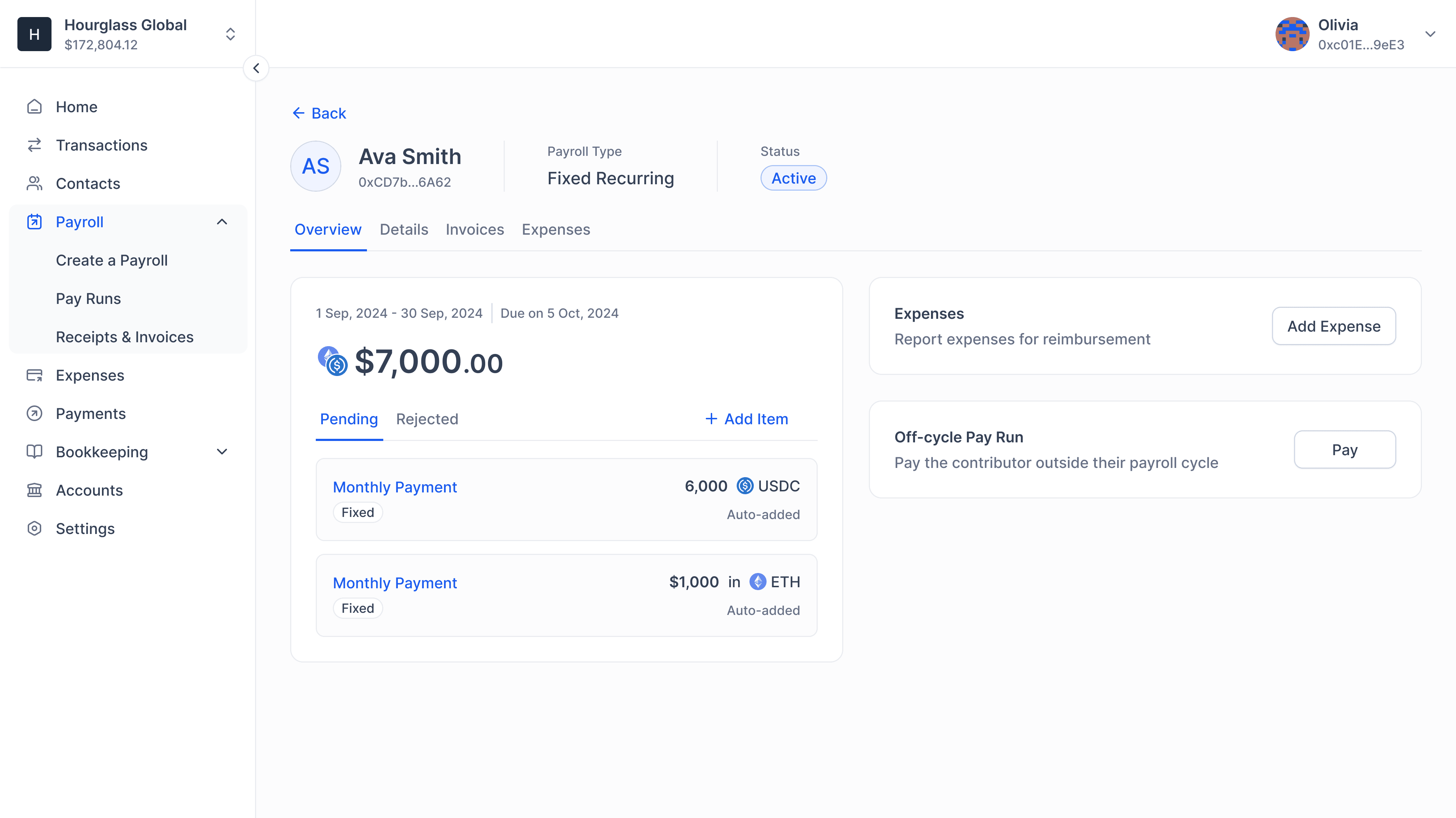
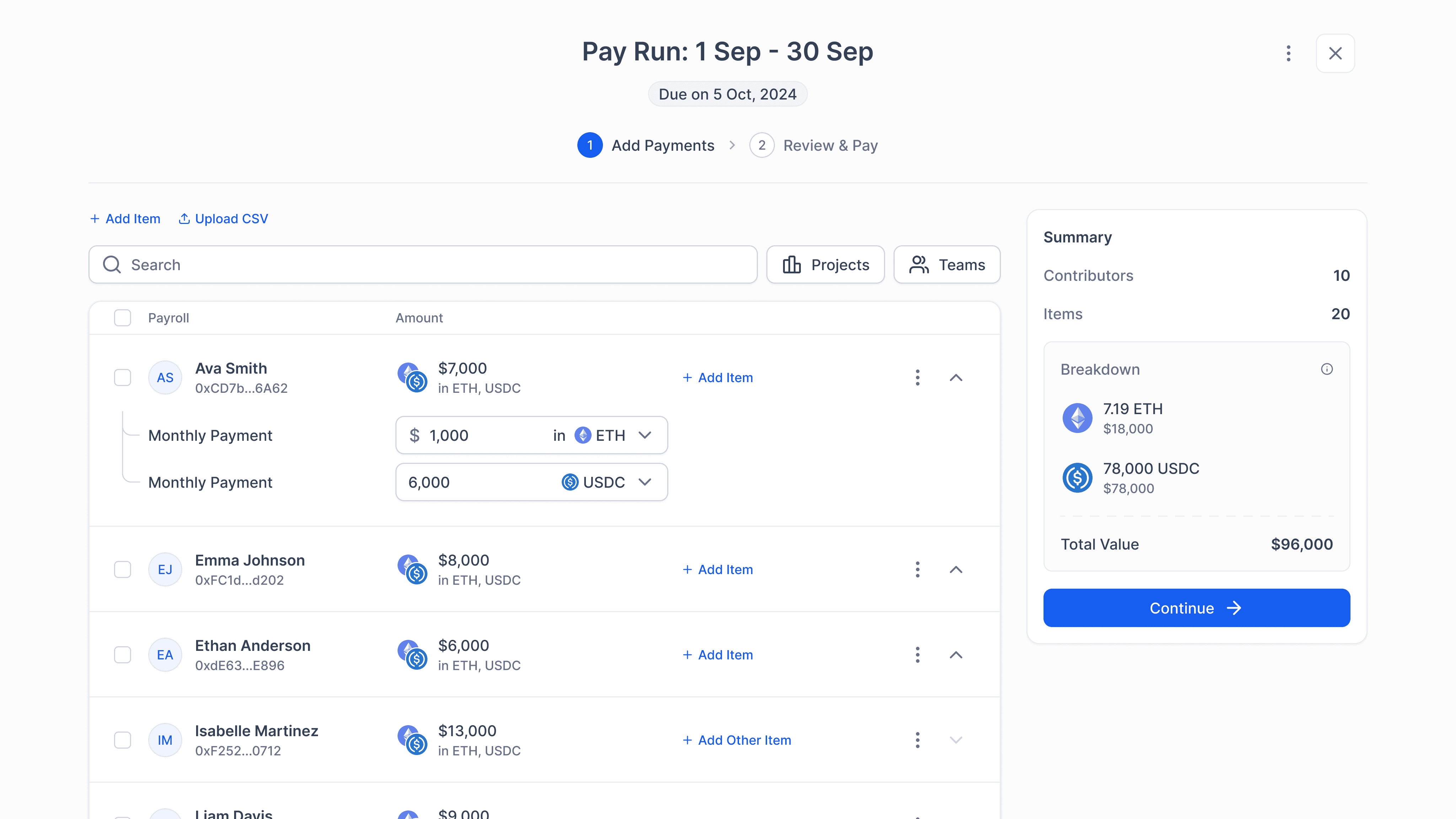
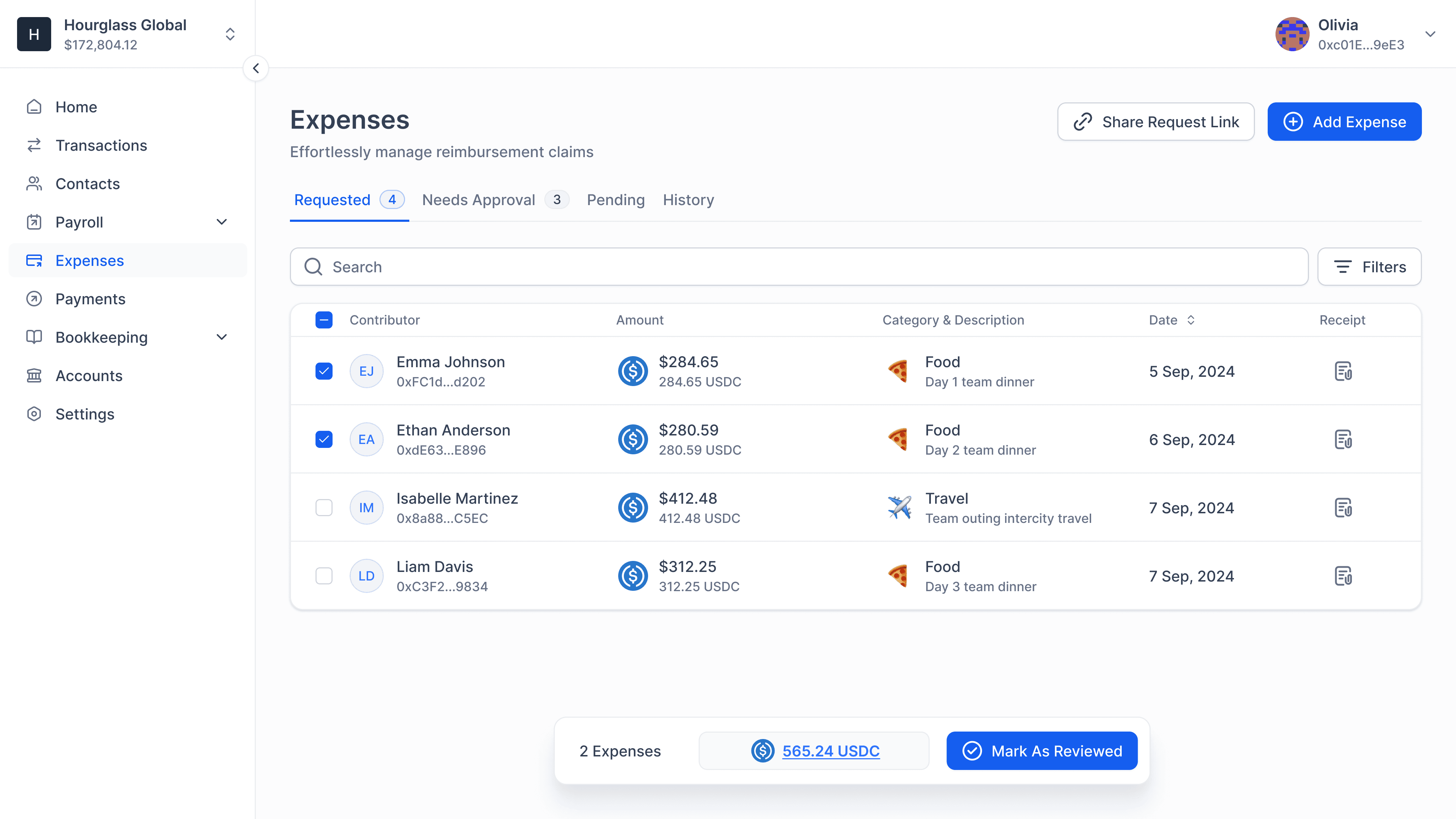
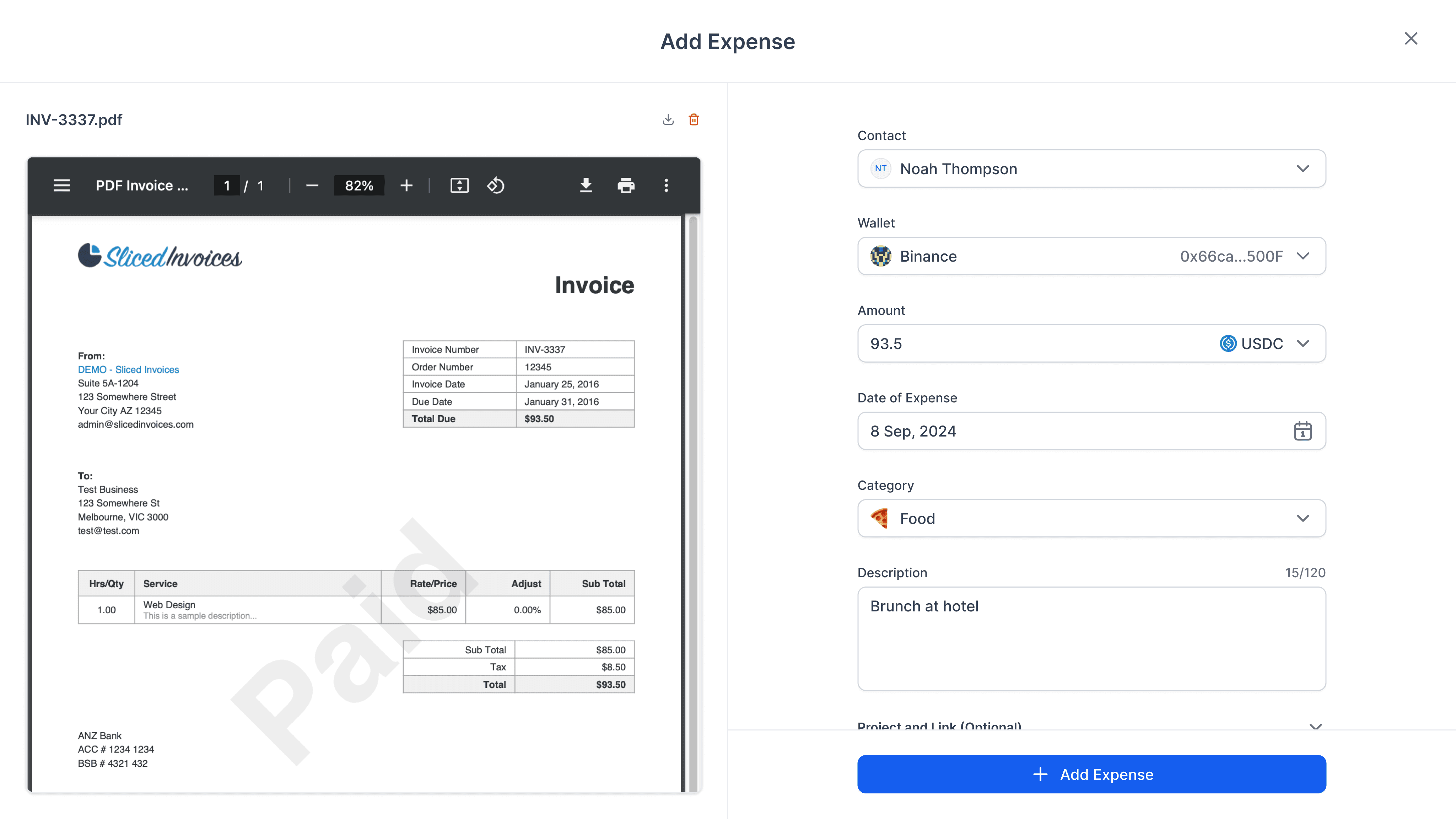
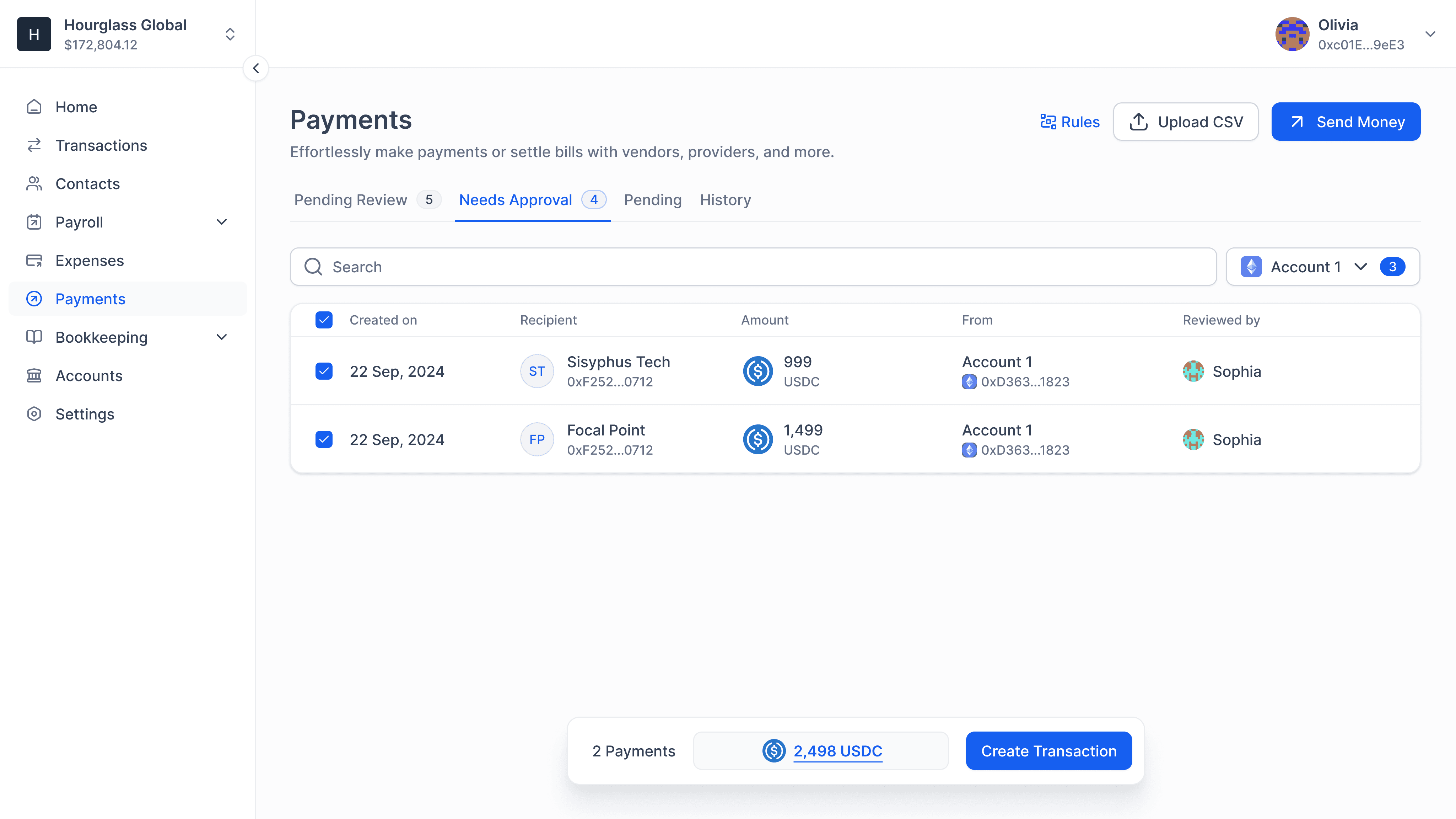
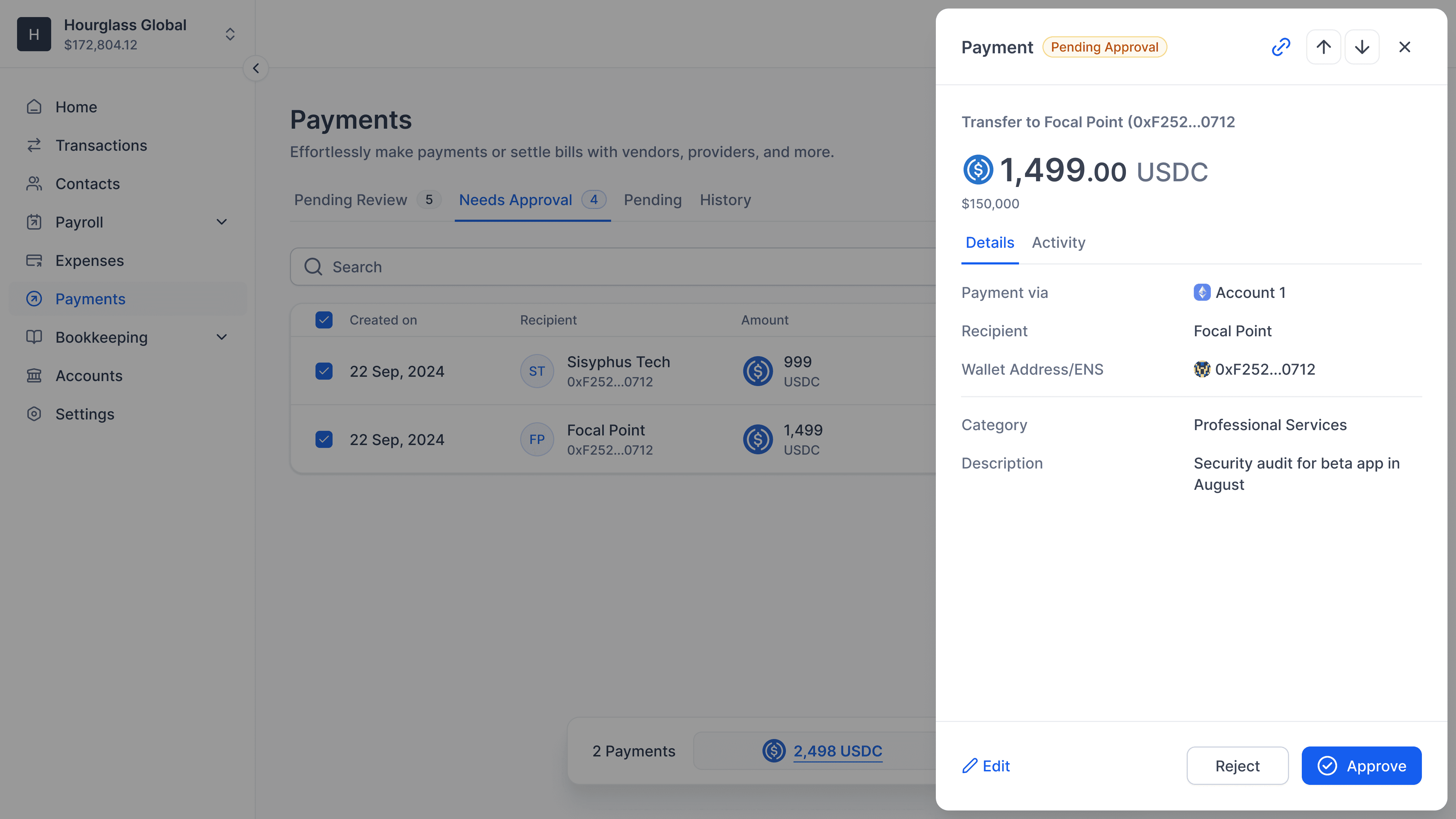
We built a compartmentalized spend management app supporting payroll, expense reimbursements, and bill payments. Each module was independent of the others and had features tailor-made for them.
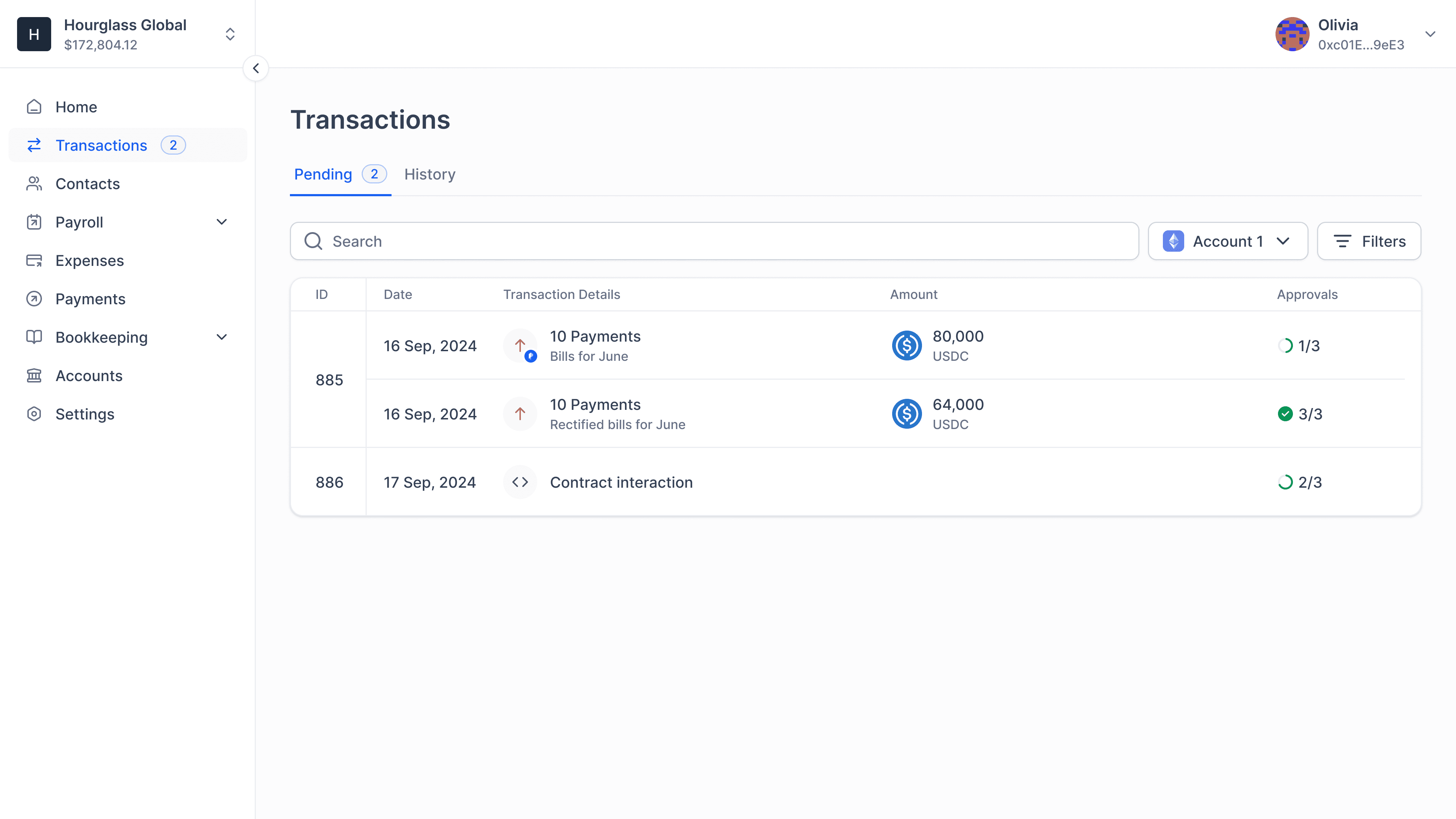
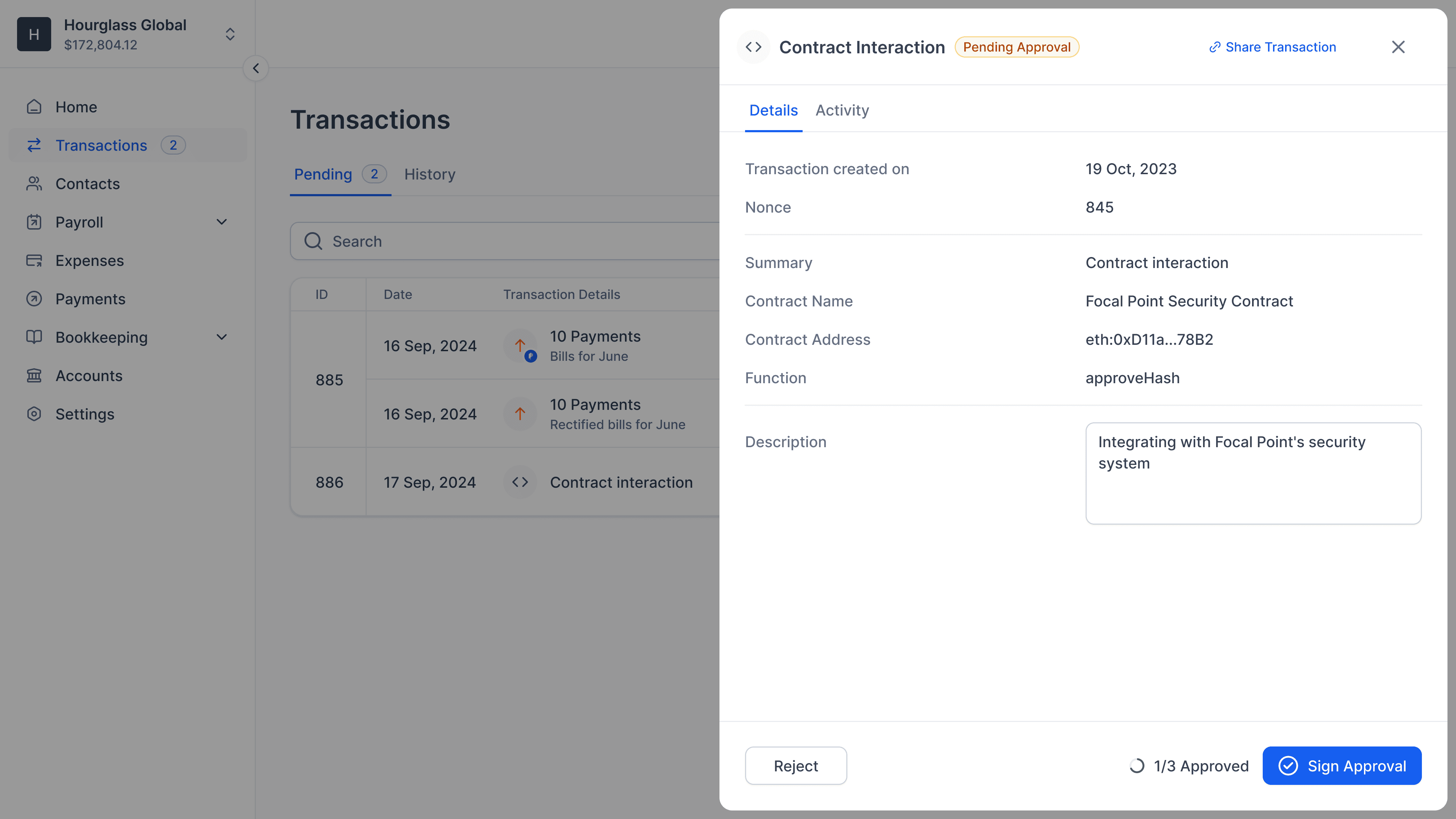
All outgoing transactions, once reviewed, were listed in one place for final signatures and execution.
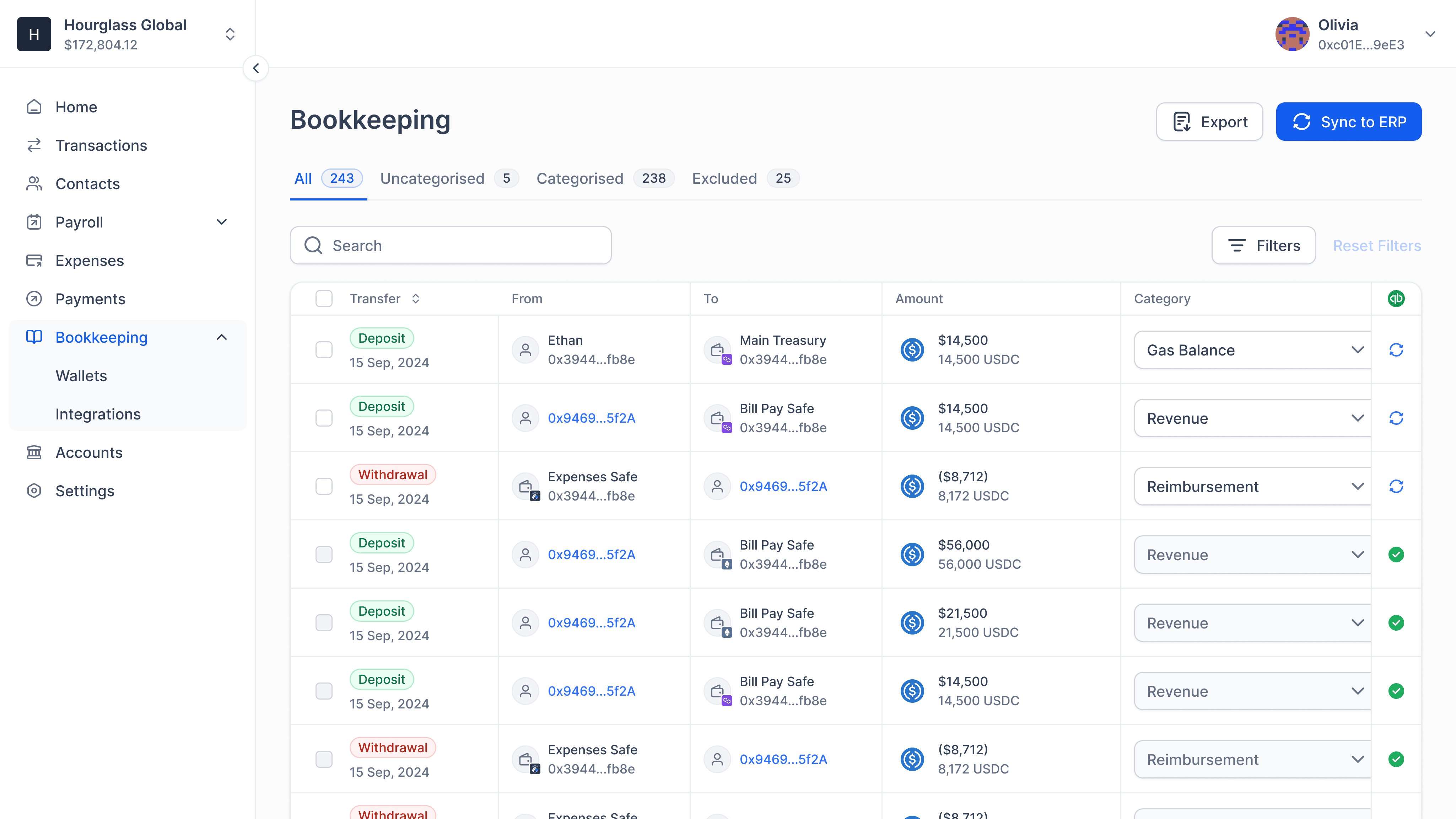
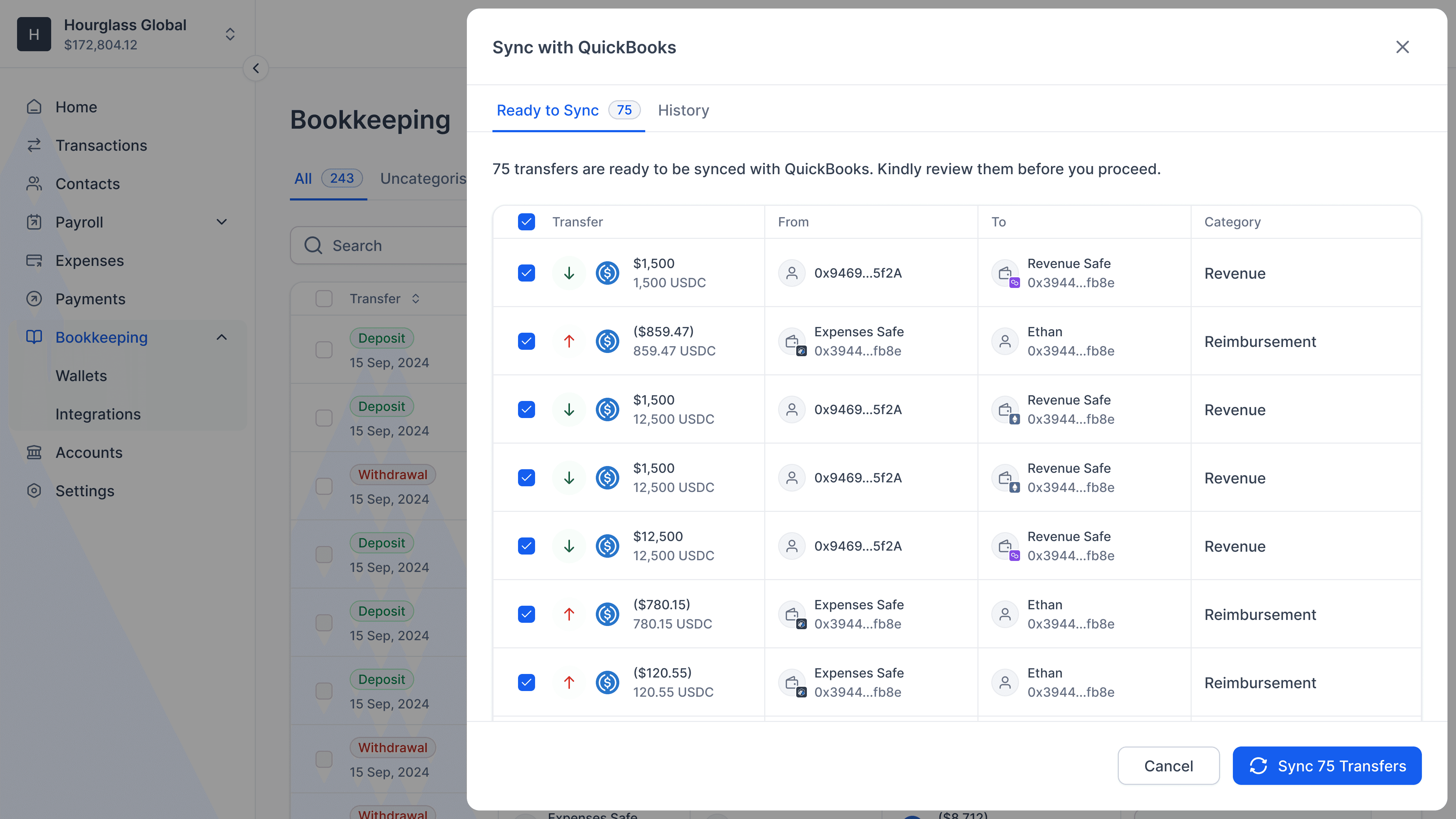
Accountants with a dedicated role so they had visibility to rich metadata across all their SAFE accounts.
The outcome:
Processed $100m+ in transactions while still in beta.
Reached $50k ARR in a category dominated by free tools.
Improved data accuracy and financial visibility across workflows.
Reduced reliance on external tools for tracking and reconciliation.
Screens
Payroll
Expense Reimbursements
Bill Payments
Transactions
Bookkeeping
Extras